Detecting App Store Updates in React Native
Sometimes you ship an exciting new feature and want to prompt users to update right away. NetEase Cloud Music — a React Native app — does exactly this.
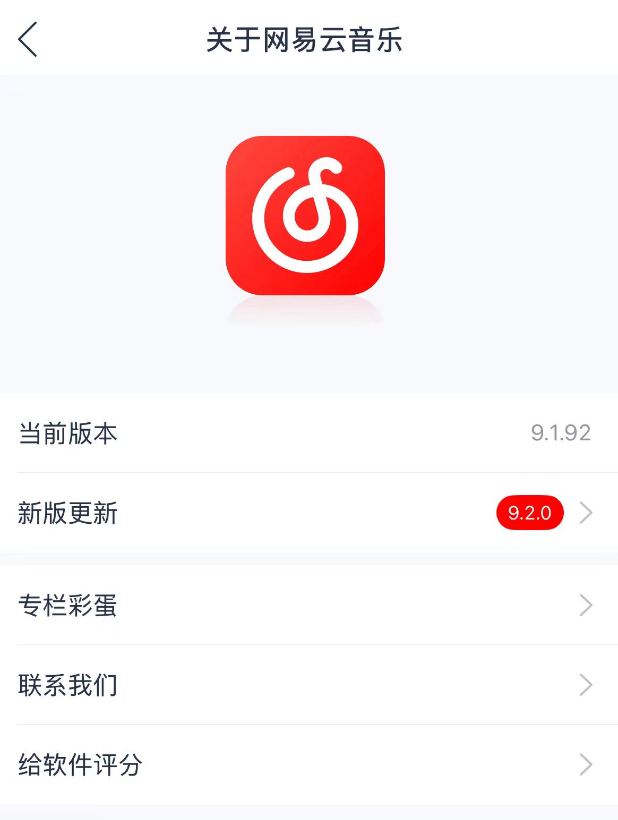

The conventional approach requires an update server: you build an API, the app polls it for the latest version, and you manually sync that server every time a new build passes App Store review. That's a lot of moving parts.
Is there a way that reuses existing infrastructure, requires no server, and works entirely in JavaScript? There is — let's tackle two sub-problems: detecting an update and navigating to the App Store page.
Update Detection
Apple provides the iTunes Search API — although its examples focus on music, it works equally well for apps. It's a public endpoint that requires no authentication; you only need the app's Apple ID.
Getting Your App's Apple ID
The simplest way is to log in to App Store Connect and look it up in the dashboard.
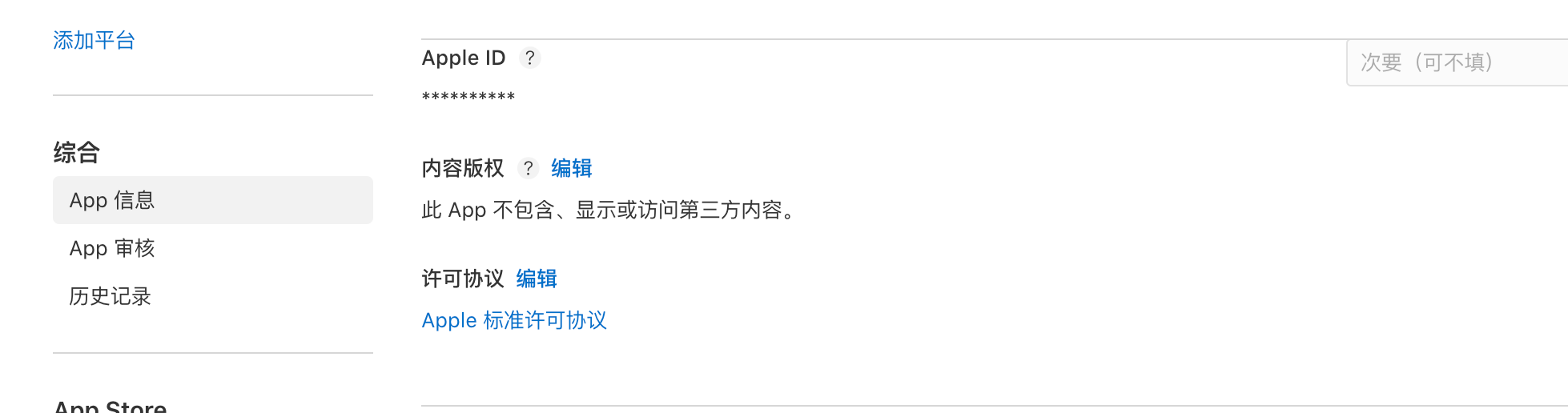
Alternatively, open the app's App Store page and extract the ID from the URL.
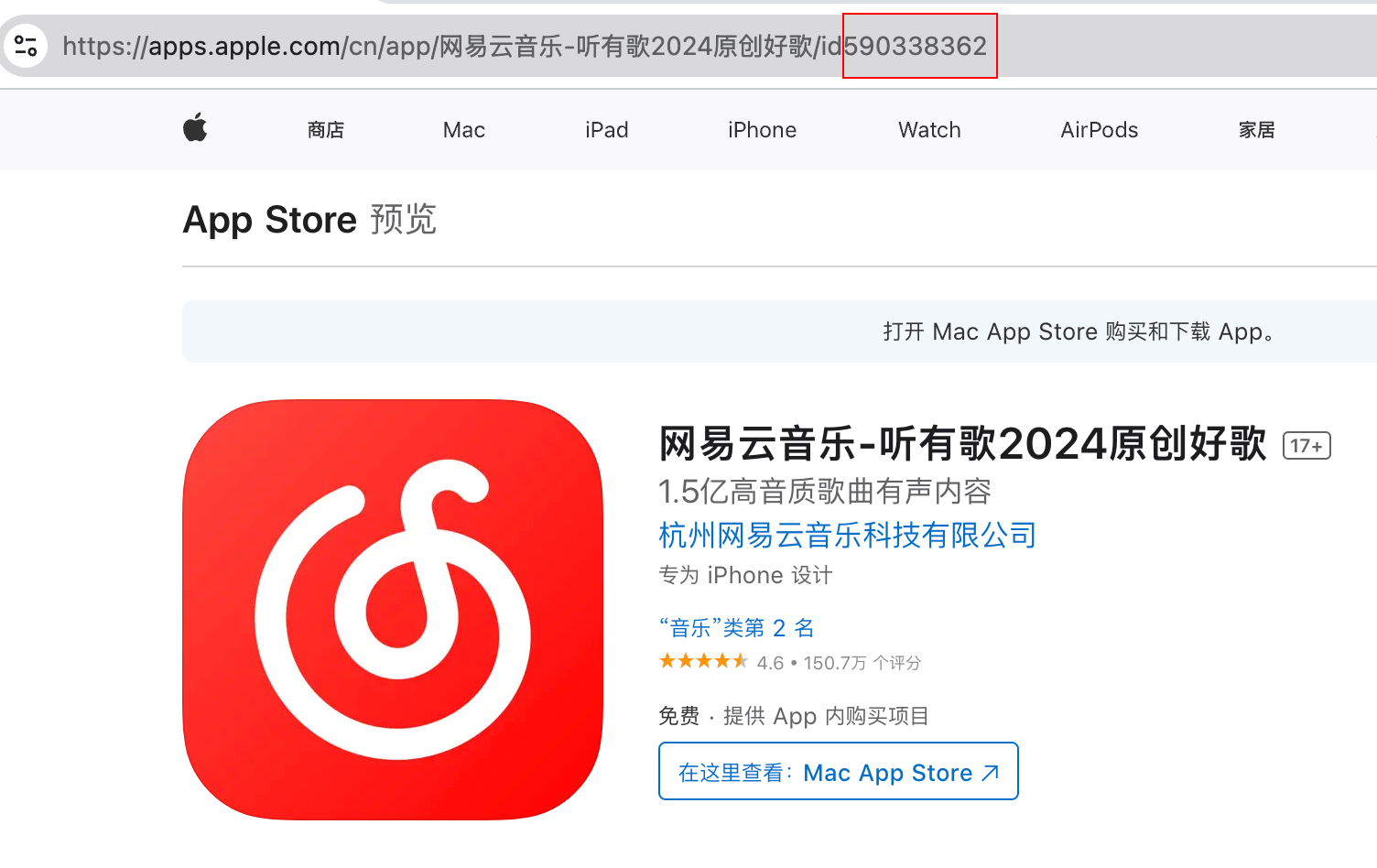
The number after id in the URL is the Apple ID.
Fetching App Details
With the Apple ID in hand:
curl --request GET --url 'https://itunes.apple.com/cn/lookup?id=590338362'The response is JSON. The version field contains the latest App Store version — exactly what we need.
Comparing Versions
We also need the app's own version. You can get it from a library like react-native-device-info, or store it in package.json for cross-platform consistency.
Here's a full React Query hook that puts it together:
import { Platform } from "react-native";
import { defer, from, iif, lastValueFrom, of } from "rxjs";
import { map, switchMap } from "rxjs/operators";
import { useQuery } from "@tanstack/react-query";

import type { Observable } from "rxjs";
import type { UseQueryResult } from "@tanstack/react-query";

export interface StoreAppInfo {
  resultCount: number;
  results: App[];
}

export interface App {
  isGameCenterEnabled: boolean;
  screenshotUrls: string[];
  ipadScreenshotUrls: string[];
  appletvScreenshotUrls: string[];
  artworkUrl512: string;
  supportedDevices: string[];
  advisories: string[];
  features: string[];
  kind: string;
  artistViewUrl: string;
  artworkUrl60: string;
  artworkUrl100: string;
  minimumOsVersion: string;
  artistName: string;
  genres: string[];
  artistId: number;
  price: number;
  trackId: number;
  trackName: string;
  sellerName: string;
  genreIds: string[];
  bundleId: string;
  isVppDeviceBasedLicensingEnabled: boolean;
  primaryGenreName: string;
  primaryGenreId: number;
  releaseDate: string;
  currentVersionReleaseDate: string;
  releaseNotes: string;
  averageUserRatingForCurrentVersion: number;
  languageCodesISO2A: string[];
  fileSizeBytes: string;
  formattedPrice: string;
  userRatingCountForCurrentVersion: number;
  trackContentRating: string;
  version: string;
  wrapperType: string;
  currency: string;
  description: string;
  trackCensoredName: string;
  trackViewUrl: string;
  contentAdvisoryRating: string;
  averageUserRating: number;
  userRatingCount: number;
}

export type AppVersionInfo = {
  hasUpdate: boolean;
  version: string;
  releaseNotes: string;
} | null;

const versionToNumber = (version: string): number =>
  version
    .split(".")
    .map(Number)
    .reduce((acc, num, index) => acc + num * Math.pow(100, 2 - index), 0);

export const useAppStoreQuery = (
  appleId: string,
  appVersion: string,
): UseQueryResult<AppVersionInfo> =>
  useQuery<AppVersionInfo, Error, AppVersionInfo, string[]>({
    queryKey: ["appStore", appleId, appVersion],
    // eslint-disable-next-line @typescript-eslint/no-unused-vars
    queryFn: async ({
      queryKey: [_, id, version],
    }): Promise<AppVersionInfo> => {
      const ob$: Observable<AppVersionInfo> = iif(
        () => Platform.OS === "ios" && id.length > 0 && version.length > 0,
        defer(() =>
          from(fetch(`https://itunes.apple.com/cn/lookup?id=${id}`)).pipe(
            switchMap((res) => from(res.json() as Promise<StoreAppInfo>)),
            map((res) => res?.results ?? []),
          ),
        ),
        of([]),
      ).pipe(
        map<App[], AppVersionInfo>((res) => {
          if (res.length === 0) {
            return null;
          }

          const app = res[0];

          if (versionToNumber(app.version) > versionToNumber(version)) {
            return {
              hasUpdate: true,
              version: app.version,
              releaseNotes: app.releaseNotes,
            };
          }

          return null;
        }),
      );

      return await lastValueFrom(ob$);
    },
  });
const { data } = useAppStoreQuery(AppleIdOfYourApp, VersionOfYourApp);Check the hook's return value to know whether an update is available.
Navigating to the App Store
iOS supports Universal Links (and Android has Deep Links), which let apps open each other via URL. React Native exposes the Linking API for exactly this purpose.
Get the App Store URL for your app by using the Share button on its App Store page:
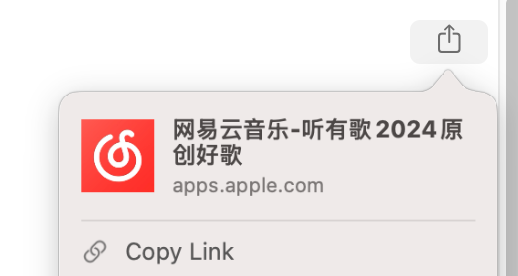
Then open it with:
Linking.openURL(YourAppStoreURL);Test it on the Simulator or a real device and you'll see it navigate directly to the App Store listing.