Pre-rendering React Apps with Webpack
Background
For various reasons — performance, SEO, accessibility — it's desirable for React (or other virtual DOM) apps to serve a static version of the page immediately on first visit, then hydrate into the fully interactive version once the bundle loads.
Server-Side Rendering
React provides Server React DOM APIs for SSR, but they require a Node.js process. If your backend already runs on Node.js this is convenient, but if it doesn't, you'd need a separate Node.js service or a headless browser. Is there a lighter alternative?
Webpack Pre-rendering
HtmlWebpackPlugin
Yes. HtmlWebpackPlugin — an indispensable part of any React scaffolding — generates HTML files and injects compiled JS/CSS into them. Critically, it also supports templates. Webpack renders an ejs template at compile time, so you can bake in static content:
<!DOCTYPE html>
<html>
  <head>
    <meta charset="UTF-8" />
    <meta
      name="viewport"
      content="width=device-width, user-scalable=no, initial-scale=1.0, maximum-scale=1.0, minimum-scale=1.0"
    />
    <meta http-equiv="X-UA-Compatible" content="ie=edge" />
  </head>
  <body>
    <div id="app">
      <ul>
        <% for (let i = 0; i < menus.length; i += 1) { %> <% let menu = menus[i]
        %>
        <li><%= menu %></li>
        <% } %>
      </ul>
    </div>
  </body>
</html>
{
plugins: [
new HtmlWebpackPlugin({
minify: false,
template: "./path-of-the-template/index.ejs",
templateParameters: {
menus: ["Home", "About", "Contact"],
},
}),
];
}Webpack produces:
<!DOCTYPE html>
<html>
  <head>
    <meta charset="UTF-8" />
    <meta
      name="viewport"
      content="width=device-width, user-scalable=no, initial-scale=1.0, maximum-scale=1.0, minimum-scale=1.0"
    />
    <meta http-equiv="X-UA-Compatible" content="ie=edge" />
    <script defer src="/static/js/572.b4d74bdee5412c82202b.js"></script>
  </head>
  <body>
    <div id="app">
      <ul>
        <li>Home</li>

        <li>About</li>

        <li>Contact</li>
      </ul>
    </div>
  </body>
</html>
The natural extension: write the above-the-fold structure as a template and pass dynamic data as template variables at compile time. But what if that data needs to be fetched from a server at build time?
Fetching Data at Compile Time
HtmlWebpackPlugin exposes Events based on webpack's tapable mechanism, letting you hook into the plugin lifecycle.
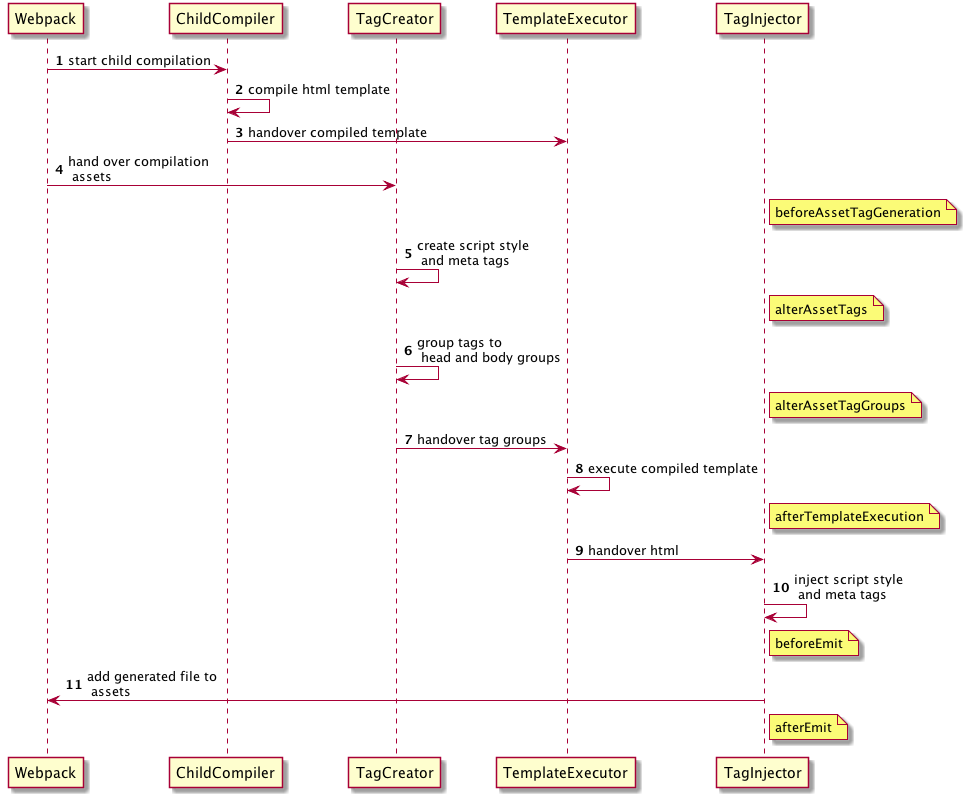
Looking at the flow diagram, template compilation happens at step 8 (afterTemplateExecution). To inject data, we hook in just before that — e.g., alterAssetTagGroups — fetch the data, and write it into templateParameters.
Writing the Plugin
const HtmlWebpackPlugin = require("html-webpack-plugin");

class HtmlWebpackTemplatePlugin {
  constructor(options) {
    this.options = options;
  }
  apply(compiler) {
    compiler.hooks.compilation.tap(
      "HtmlWebpackTemplatePlugin",
      (compilation) => {
        HtmlWebpackPlugin.getHooks(compilation).alterAssetTagGroups.tapAsync(
          "HtmlWebpackTemplatePlugin",
          (data, cb) => {
            this.options
              .func(data)
              .then((resp) => {
                cb(null, resp);
              })
              .catch(() => {
                cb(null, data);
              });
          },
        );
      },
    );
  }
}

module.exports = HtmlWebpackTemplatePlugin;
The data object passed to the callback:
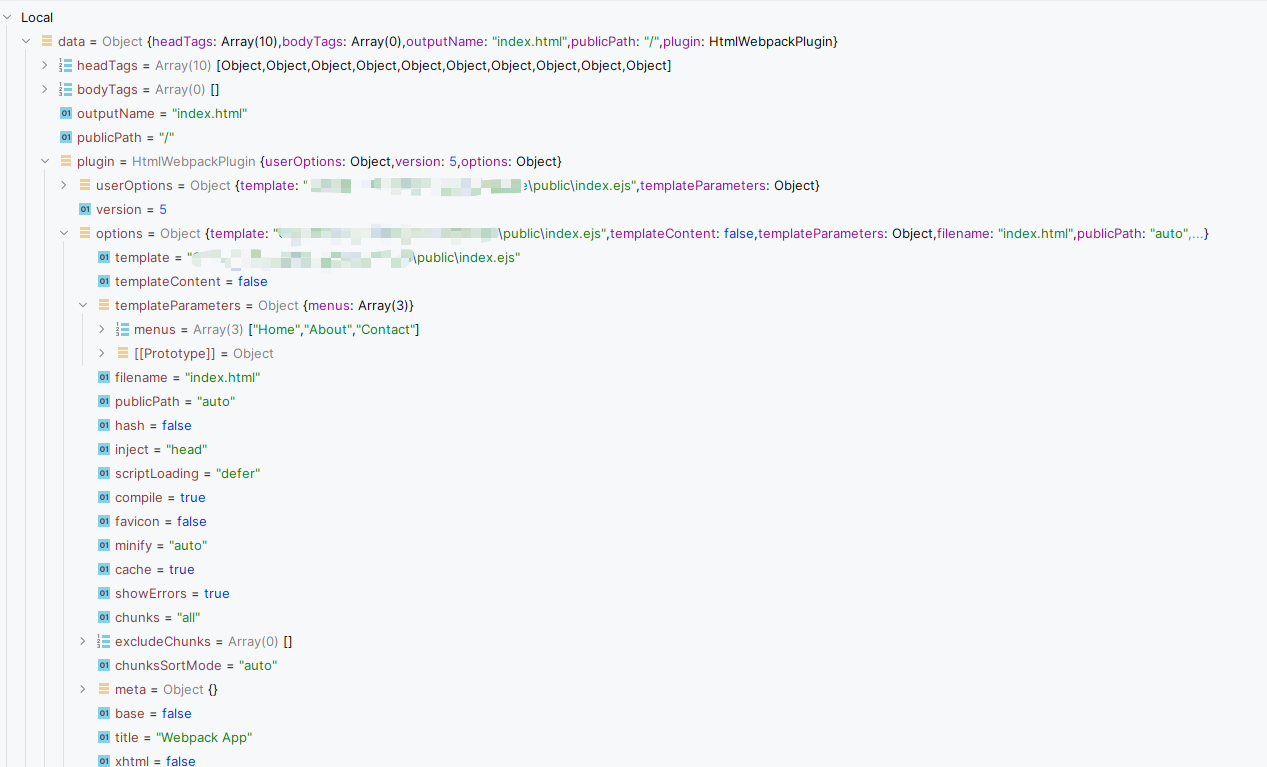
data.plugin.options.templateParameters holds the template variables — write your data there.
Using the Plugin
{
  plugins: [
    new HtmlWebpackPlugin({
      minify: false,
      template: "./path-of-the-template/index.ejs",
      templateParameters: {},
    }),
    new HtmlWebpackTemplatePlugin({
      func: (data) =>
        new Promise((resolve) => {
          rxjs
            .from(
              fetch(`${process.env.API_URI}/categories`).then((response) =>
                response.json(),
              ),
            )
            .pipe(
              rxjs.switchMap((categories) =>
                rxjs
                  .forkJoin(
                    (categories || []).map((category) =>
                      fetch(
                        `${process.env.API_URI}/category/${category.id}/sites`,
                      ).then((response) => response.json()),
                    ),
                  )
                  .pipe(
                    rxjs.map((sites) =>
                      sites.map((site, index) => ({
                        ...categories[index],
                        sites: site,
                      })),
                    ),
                    rxjs.map((sites) => [categories, sites]),
                  ),
              ),
            )
            .subscribe(([categories, sections]) => {
              data.plugin.options.templateParameters.categories = categories;
              data.plugin.options.templateParameters.sections = sections;

              resolve(data);
            });
        }),
    }),
  ];
}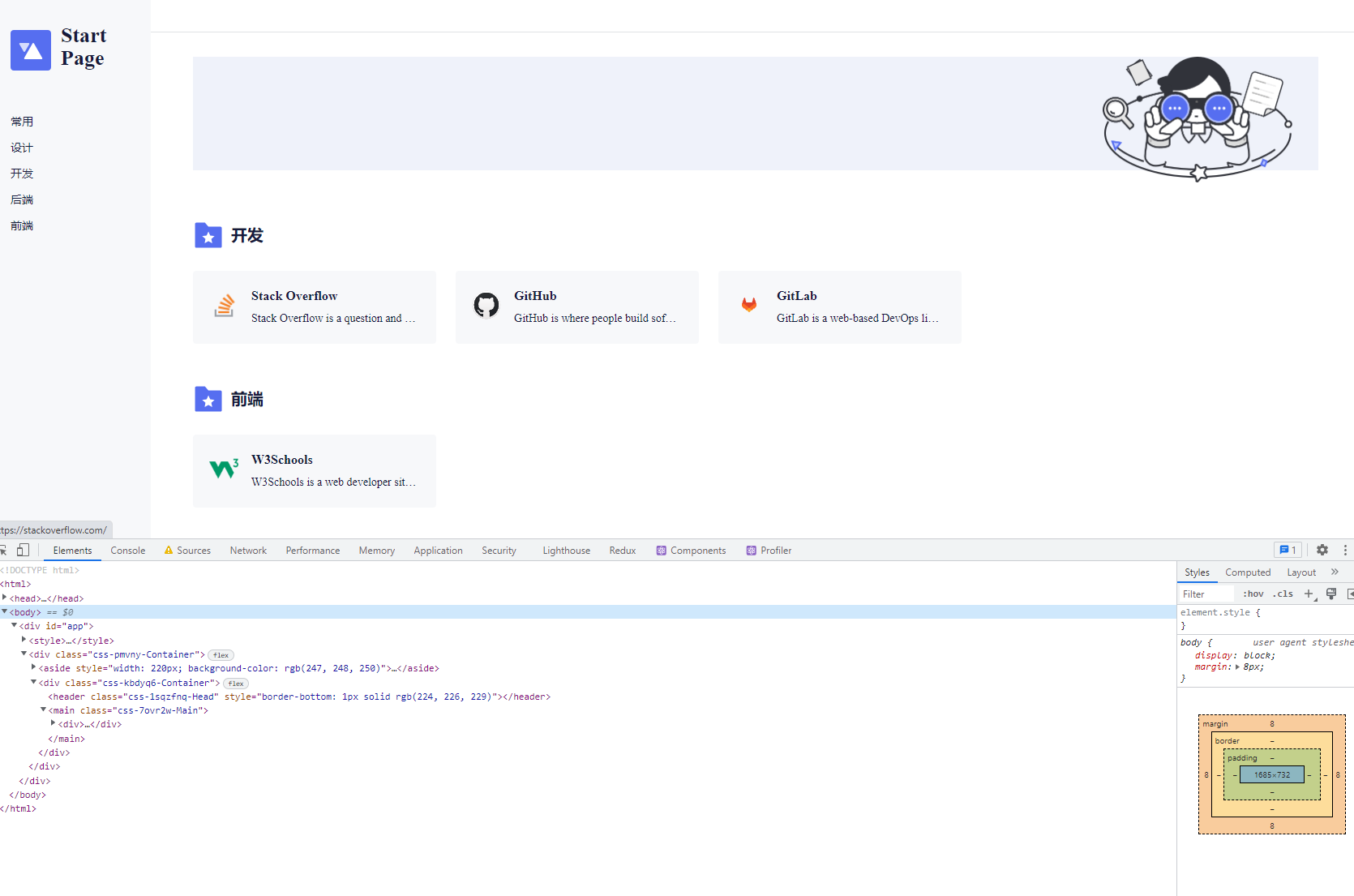
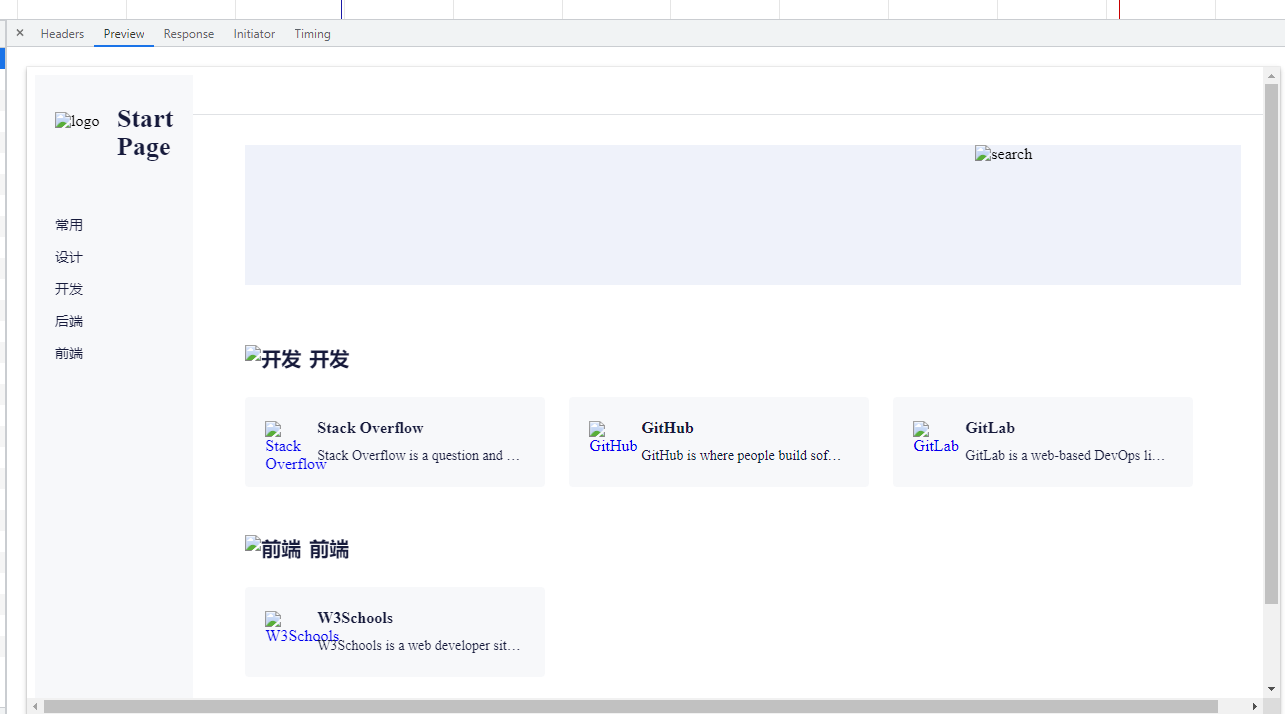
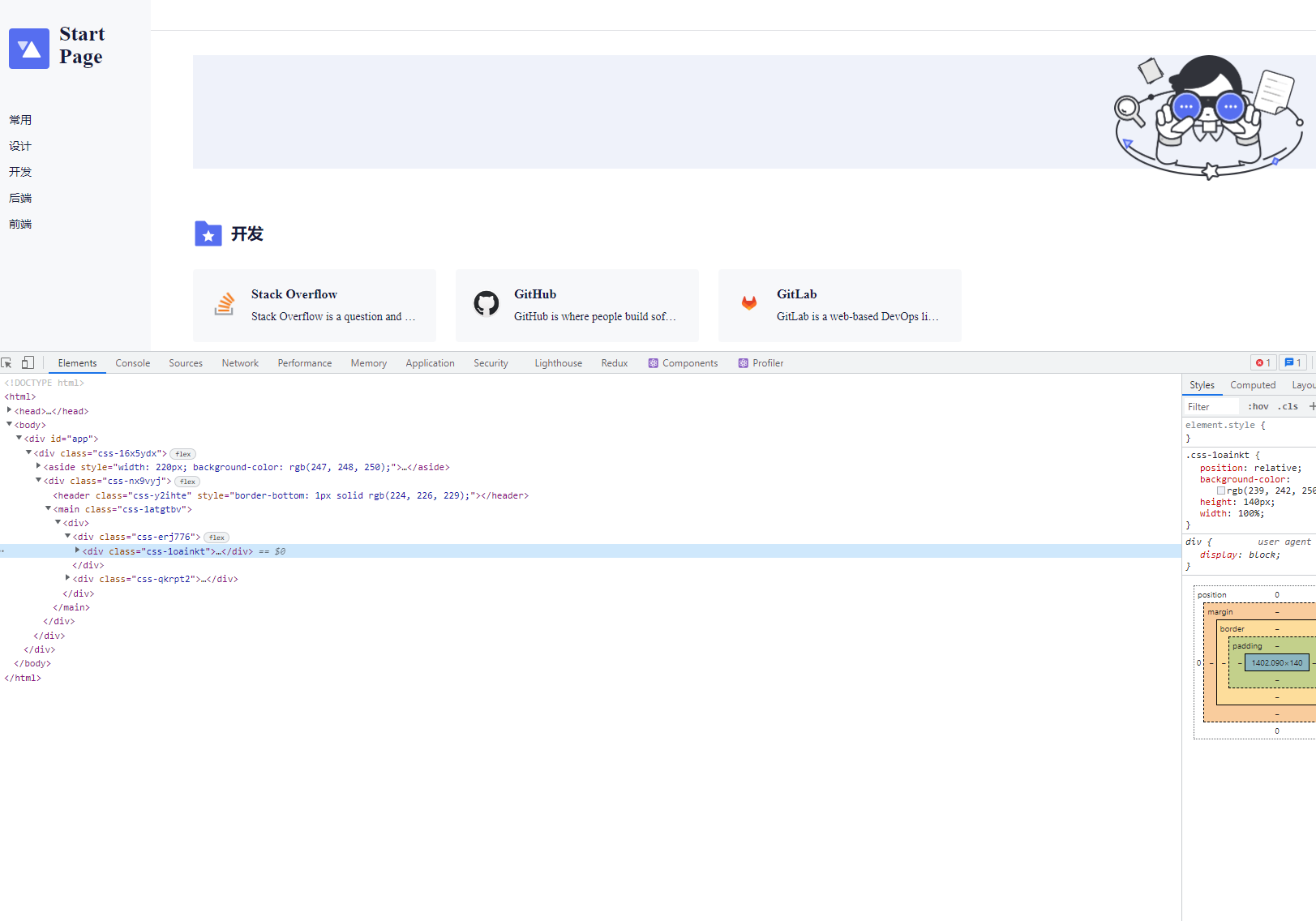
As the screenshots show: on first load the browser receives the pre-rendered static HTML; once the scripts execute, React mounts onto the root node and replaces the static content.
Conclusion
This approach has one limitation: it's only suitable for data that doesn't change frequently, because the page must be recompiled whenever the data changes. A better solution for dynamic data is to have the server (e.g., Spring with Thymeleaf) output HTML on every request, so the browser always gets fresh server-generated content and React takes over after hydration.