React Native Pitfalls and Fixes
Publishing to Android App Stores
Rejected for Privacy Violations
Some Chinese app stores will reject your app with a message like "SDK reads private user information (ANDROID_ID) without user consent." The culprit is expo-application reading ANDROID_ID:
// node_modules/expo-application/src/Application.ts
export const applicationId: string | null = ExpoApplication
  ? ExpoApplication.applicationId || null
  : null;
// node_modules/expo-application/android/src/main/java/expo/modules/application/ApplicationModule.kt
constants["androidId"] = Settings.Secure.getString(mContext.contentResolver, Settings.Secure.ANDROID_ID)Fix
Replace the ANDROID_ID read with a fixed value via a patch.
Toast Inside a Modal Gets Covered by the Modal
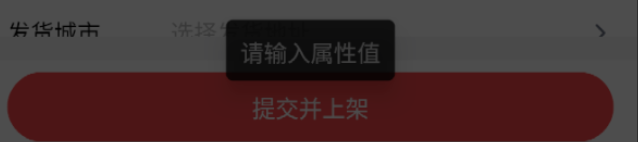
Wrap the modal's content in react-native-root-siblings:
<Modal
  isVisible={show}
  onBackdropPress={() => {
    setShow(false);
  }}
  onBackButtonPress={() => {
    setShow(false);
  }}
  onModalHide={() => {
    setAddNewProp(false);
  }}
  animationIn={"slideInUp"}
  animationOut={"slideOutDown"}
  className={"m-0 justify-end"}
  useNativeDriverForBackdrop={false}
  swipeDirection={["down"]}
  onSwipeComplete={() => {
    setShow(false);
  }}
  onModalShow={() => textInputRef.current?.focus()}
  avoidKeyboard={true}
>
  <RootSiblingParent>
    <View
      className={"h-full w-full flex-row items-center justify-start"}
    ></View>
  </RootSiblingParent>
</Modal>
TextInput Caret Stuck at the End Even with textAlign="center"

Add numberOfLines and multiline:
<TextInput
  ref={textInputRef}
  className={"flex-1"}
  placeholder={"Enter text"}
  value={text}
  onChangeText={setText}
  textAlign={"center"}
  numberOfLines={1}
  multiline
/>
Multiple Modals in Sequence Freeze on iOS
This is a known react-native bug. The fix: show the next modal inside the previous modal's onModalHide callback, so you wait for the hide animation to complete before mounting the new one.
I can't show multiple modals one after another Unfortunately right now react-native doesn't allow multiple modals to be displayed at the same time. This means that, in react-native-modal, if you want to immediately show a new modal after closing one you must first make sure that the modal that your closing has completed its hiding animation by using the
onModalHideprop.
App Crashes on Return from a Third-Party Payment App (iOS)
When a payment deep-links to WeChat or Alipay and the user returns, the app crashes with:
NSInvalidArgumentException: Application tried to present modally a view controller <RCTModalHostViewController: 0x10b693460> that is already being presented by <UIViewController: 0x109e25db0>.Caused by react-native-modal — the modal is still visible when the app is backgrounded. Fix: close the modal before triggering the deep-link, with a small delay to let the dismiss animation finish:
const first = () => {
  setShowModal(false);

  setTimeout(() => {
    then();
  }, 1000);
};
Keyboard Handling for Text Inputs on iOS
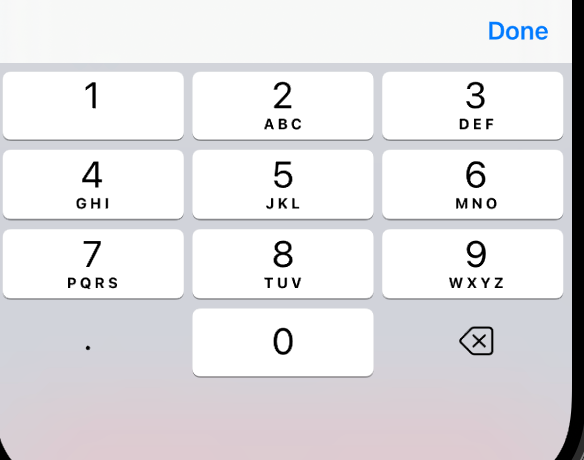
For numeric inputs, enterKeyHint / returnKeyType lets you show a "Done" button that dismisses the keyboard:
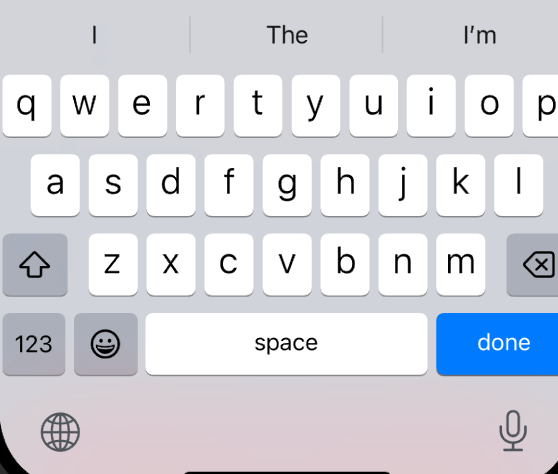
For text-type inputs the same props exist but don't dismiss the keyboard reliably:
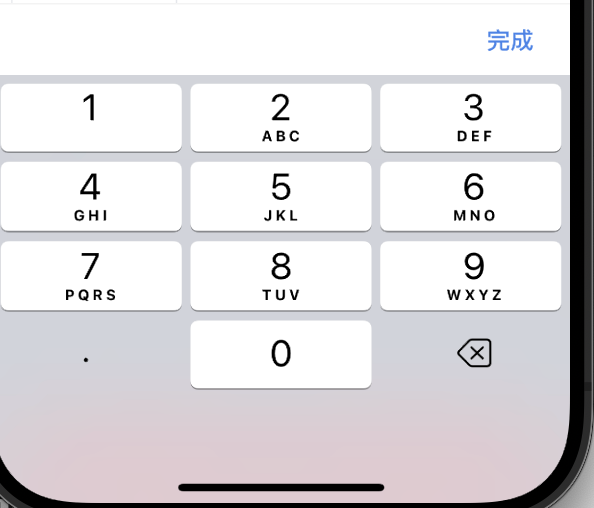
Use inputAccessoryViewID with InputAccessoryView instead:
<TextInput inputAccessoryViewID="Done" />
<InputAccessoryView nativeID="Done">
  <View className={"flex-row items-center bg-white py-3 px-6 border-t border-t-[#F3F3F3]"}>
    <View className="flex-1" />
    <TouchableOpacity
      onPress={Keyboard.dismiss}
    >
      <Text className={"text-base font-medium text-[#4E83E4]"}>Done</Text>
    </TouchableOpacity>
  </View>
</InputAccessoryView>
Unable to Load Script / index.android.bundle Not Found
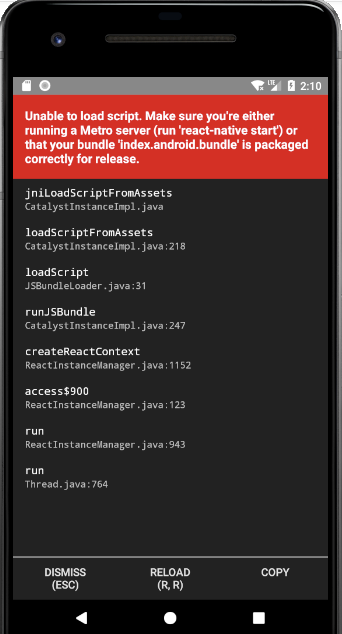
Check the Android Emulator's network connectivity first — this is usually a networking issue, not a bundle issue.
Build Fails with error: style attribute 'attr/*** not found
* What went wrong:
Execution failed for task ':xxx:verifyReleaseResources'.
> A failure occurred while executing com.android.build.gradle.tasks.VerifyLibraryResourcesTask$Action
   > Android resource linking failed
     ERROR: /path/to/project/node_modules/xxx/android/build/intermediates/merged_res/release/values/values.xml:1587: AAPT: error: style attribute 'attr/statusBarBackground (aka com.xxx:attr/statusBarBackground)' not found.
Add the missing attribute to src/main/res/values/attrs.xml:
<?xml version="1.0" encoding="utf-8"?>
<resources>
    <attr name="statusBarBackground" format="reference|color"/>
</resources>
Loading Non-JS Asset Files
Step 1: Register the Extension with Metro
const config = getDefaultConfig(__dirname);

config.resolver.assetExts.push("ext");

module.exports = config;
Step 2: Import the Asset
After adding the config, you can import f from 'file.ext'. Unlike webpack's raw-loader, Metro returns the module's asset ID, not the file contents. You need two more steps.
Step 3: Read the File Contents
Install expo-asset and expo-file-system, then:
from(Asset.loadAsync(module)).pipe(
  switchMap(([{ localUri }]) =>
    iif(
      () => localUri != null,
      defer(() =>
        from(readAsStringAsync(localUri)).pipe(
          map((content) => content),
        ),
      ),
      of(""),
    ),
  ),
);
Android Build Hangs Indefinitely
A previously working build suddenly stalls at:
<=========----> 73% EXECUTING [10m 20s]
> IDLE
> :app:createBundleReleaseJsAndAssets
Packet capture revealed the build was making an outbound request to a service with connectivity issues. Adding the domain to hosts pointing to 127.0.0.1 resolved it.
Getting ReactContext Inside a Fragment
import androidx.fragment.app.Fragment
import com.facebook.react.ReactApplication
import com.facebook.react.ReactInstanceManager
import com.facebook.react.bridge.ReactContext
import com.facebook.react.bridge.WritableMap
import com.facebook.react.modules.core.DeviceEventManagerModule

class XXXFragment : Fragment() {
    private lateinit var reactContext: ReactContext
    private lateinit var reactInstanceManager: ReactInstanceManager

    override fun onAttach(context: Context) {
        super.onAttach(context)

        reactInstanceManager =
            activity?.application?.let {
                (it as ReactApplication).reactNativeHost.reactInstanceManager
            }!!

        reactContext = reactInstanceManager.currentReactContext as ReactContext
    }

    private fun sendEvent(reactContext: ReactContext, eventName: String, params: WritableMap?) {
        reactContext
            .getJSModule(DeviceEventManagerModule.RCTDeviceEventEmitter::class.java)
            .emit(eventName, params)
    }
}
"View config getter callback for component MyNativeModule must be a function (received undefined)"
A native module that was working fine suddenly throws this on load. After comparing package.json files between the broken module and a freshly generated one, I found the broken module had:
"devDependencies": {
  "react": "18.2.0",
  "react-native": "0.74.3"
}
The main project was using react-native@0.74.5. The version mismatch caused the crash. Removing those devDependencies fixed it.
To be continued…